Baby Sleep Tracker: Lulla
LullaParenting
4.80.00 Reviews
- Version
- 4.14.0
- Installs
- 10.00K
- Age Rating
- Everyone
Screenshots
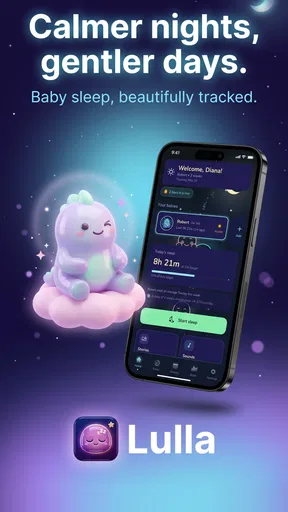
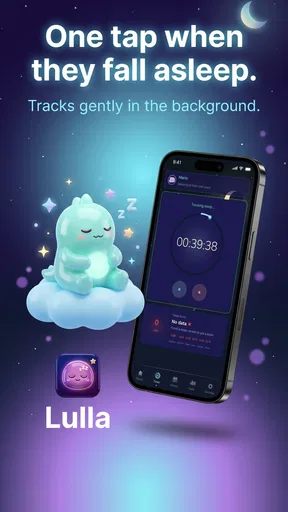
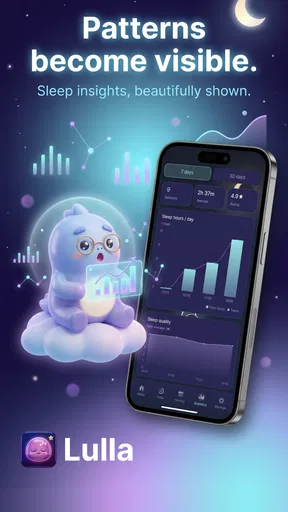
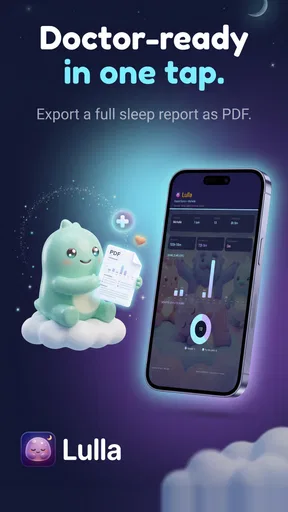
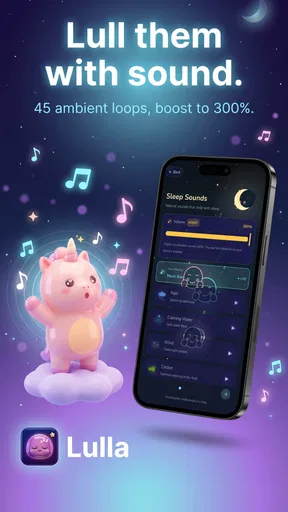
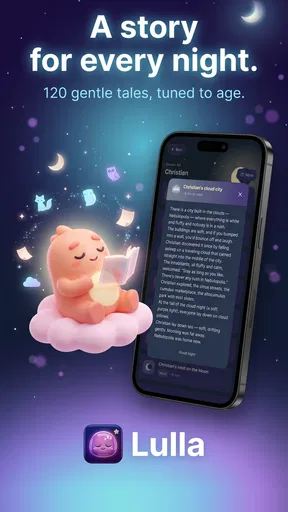
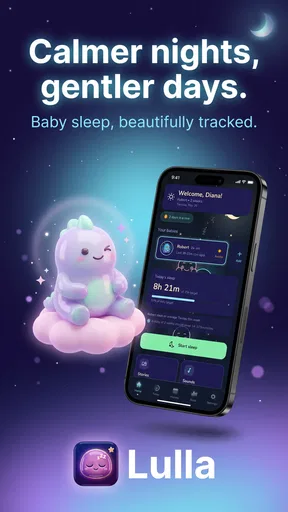
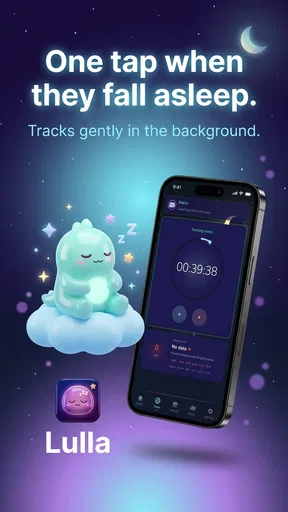
Our Review of Baby Sleep Tracker: Lulla
 Analysis by Appyee
Sleep tracking sounds useful until bedtime arrives and I am too tired to remember what happened. That is where Lulla makes a convincing first impression. This free parenting app from Lulla is built around recording a baby’s sleep, settling a child with stories and sounds, and keeping more than one baby in the same place. I found the idea immediately practical: instead of relying on a vague memory of a difficult night, I could turn the evening into a simple record and look for patterns later.
The app is listed as Baby Sleep Tracker, but it feels broader than a stopwatch. Its real appeal is the combination of tracking and calming tools. I can use it during a rushed bedtime rather than opening one app to log sleep, another to play audio, and a notebook to remember the details. That does not make night routines effortless, but it reduces the number of small decisions I have to make when everyone is tired.
My overall reaction is positive, with one important qualification: Lulla is most valuable when it becomes part of a routine. The first few nights are interesting because the app gives structure to something that often feels chaotic. The longer-term benefit depends on whether I keep recording consistently and whether the bedtime content actually fits my child’s preferences. The strong user response is encouraging, with a 4.8 average from more than 400 ratings, while over 10 thousand installs suggest that it has found a real audience without feeling like an overstuffed parenting platform.
What Lulla feels like during the first week
I found the first week most useful as a low-pressure trial of the routine, rather than a test of whether every feature works perfectly. I’d pick one bedtime question to follow—such as whether a familiar sound helps with settling—and keep the rest of the process simple. That makes it easier to notice what actually helps before considering how the app might fit into changing family routines.
A gentle starting point for tired parents
During the first week, the most useful change is psychological. Lulla gives me a place to put the facts of the night: when sleep started, when it ended, and how the routine unfolded. That sounds minor, but it helps separate one unusually difficult evening from a repeated pattern. I do not have to trust a tired recollection from the morning. I can review the record when I am more alert.
The tracking side is especially helpful for parents who are trying to understand whether a new bedtime approach is making a difference. For example, I might keep the same wind-down routine for several evenings, record the sleep periods, and then compare the general pattern rather than judging the result after one restless night. Lulla does not replace good judgment, but it gives that judgment something more concrete to work with.
The calming side is where the app becomes more than a diary. Stories and sounds can provide a consistent background to bedtime, which is useful when a baby responds well to repetition. I would not treat any particular story or sound as a guaranteed solution. Babies are unpredictable, and a sound that works beautifully one evening may become irritating the next. Still, having those choices ready in the same place makes experimentation less frustrating.
Why the multi-baby setup matters
The multi-baby capability is one of the more meaningful details for families with twins, siblings close in age, or more than one child whose sleep needs to be followed. A single-child tracker can become awkward when I have to remember which entry belongs to whom. Keeping children separated inside one routine makes the records more useful and reduces the chance of drawing the wrong conclusion from another child’s night.
This is also helpful for caregivers who share responsibility. Even when only one person is awake at bedtime, the next caregiver can understand what happened without needing a long spoken explanation. A record is not a substitute for communication, but it can make handoffs clearer. That is a practical advantage that is easy to overlook when choosing a sleep app based only on its sound library.
A realistic first-week routine
Imagine a parent starting the evening after a bath, feeding, and a short story. The parent opens Lulla, chooses a calming option, and begins tracking when the baby is settled. After an interruption, the parent records the change instead of trying to reconstruct the whole night in the morning. The next day, the parent can see whether the interruption was unusual or part of a pattern.
That workflow works because it does not ask for a complicated sleep experiment. I would start with one small habit: record the beginning and end of the main sleep period, then add more detail only if it helps. Trying to document every moment immediately can turn the app into another chore. The strongest first-week approach is deliberately modest.
Where the novelty can wear off
The first-week appeal comes partly from discovery. New sounds, stories, and a fresh record can make bedtime feel more organized. But novelty alone will not keep Lulla installed. If I expect the app to solve frequent waking, establish a schedule automatically, or make a baby accept bedtime without resistance, disappointment is likely.
Lulla is a support tool, not a replacement for observing the child. It cannot tell me whether a baby is uncomfortable, overstimulated, hungry, or unwell. That limitation is not a flaw unique to this app; it is a reason to keep expectations realistic. Its job is to help me record and repeat a calming routine, not to interpret every cause of poor sleep.
Why it can remain useful from month to month
As a baby’s sleep and a household’s schedule change, the app’s value can shift from establishing a record to helping caregivers compare different stretches of time. I’d revisit the routine occasionally and decide whether the same tracking details still answer the questions I have now. That kind of check-in can keep the app useful without turning a changing sleep pattern into a demand for more logging.
Tracking becomes more valuable when it answers a question
Long-term tracking is worthwhile when I use it to answer a specific question. Am I keeping bedtime reasonably consistent? Does a particular calming routine usually lead to a smoother transition? Are naps affecting the evening? Is one child following a different rhythm from another? These are manageable questions, and Lulla can help organize the observations needed to discuss them with a partner or pediatric professional.
The mistake would be treating every entry as equally important. I would not spend energy recording details that I never review. Instead, I would choose a small set of observations that match the current problem. If bedtime is the issue, focus on the evening routine. If overnight waking is the concern, keep the record simple enough to maintain during the night. The app’s lasting value depends less on collecting everything than on collecting what I can use.
Consistency beats perfect records
A useful sleep log does not need to be perfect. In real homes, a parent may forget to record one waking or enter it later. That should not make the whole system feel pointless. I would aim for a consistent general picture rather than a flawless scientific record. A week with a few gaps can still reveal whether bedtime is drifting later or whether a routine is becoming more predictable.
This is one reason I prefer Lulla’s combined approach to keeping notes in a general phone app. A blank note can store anything, but it offers no natural bedtime context. Lulla keeps the tracking purpose visible and pairs it with tools I might use at the same moment. That connection encourages a habit, although it also means the app is less useful if I only want an occasional manual log.
Keeping more than one child understandable
For families with multiple babies, month-to-month value comes from comparison without confusion. I can look at each child’s routine separately and notice that similar ages do not always mean identical sleep patterns. That distinction matters. A parent who assumes both children should behave the same may create unnecessary pressure, while separate records make individual differences easier to see.
I would use the multi-baby feature as a practical conversation aid rather than a competition. The goal is not to decide which baby sleeps “better.” The goal is to understand each child’s rhythm and make evenings more manageable. That is a subtle but important trade-off: more information can help, but only if it reduces anxiety instead of creating another standard to measure against.
How it compares with familiar alternatives
The usual alternative is a paper notebook or a general notes app. Those options are flexible and do not require learning a dedicated interface, but they separate the record from the bedtime experience. Lulla’s advantage is convenience: tracking, stories, and sounds belong to one parenting-focused tool. When I am already holding the phone to settle a baby, that consolidation matters.
Another alternative is a broad family organizer that includes sleep among many other records. Such an app may be better for families who want calendars, feeding logs, medical notes, and shared household planning in one place. Lulla is more focused. I would choose it when sleep is the immediate priority, not when I need a complete family administration system.
A simple audio player can also handle lullabies or background sounds, and it may offer more general music choices. Lulla’s strength is not necessarily having the widest audio catalog; it is putting calming content beside sleep tracking. If I already have a reliable audio routine and never record sleep, a separate player may be the cleaner choice. If I want both tasks connected, Lulla has the better fit.
The maintenance burden after the first month
After the first month, I’d make a quick decision about what is worth maintaining: the entries I use to understand sleep, the calming option my child accepts, or both. Keeping only the parts that serve a real purpose can prevent the routine from becoming busywork. It also gives me a sensible point to consider whether optional purchases would add value for my family.
The real cost is attention
Lulla is free to start, which makes testing it low-risk. The listed in-app purchases range from around eleven dollars to around seventy dollars per item, so I would spend time with the basic experience before considering any optional purchase. The important question is not simply whether extra content exists; it is whether the app has become part of my routine enough to justify paying for more.
The maintenance burden is mainly attention rather than money. Every tracker asks me to remember an entry at exactly the moment I am least available. If I have to unlock the phone, navigate through several screens, and make too many choices, I will eventually skip it. My practical advice is to make logging a fixed part of one existing action, such as starting the bedtime sound or checking the baby after settling. A habit attached to another habit is easier to keep.
When recording becomes counterproductive
There is a point where tracking can increase stress. If I check the record repeatedly during the night, I may become more focused on the numbers than on the baby. A sleep tracker should support calm, not turn every waking into a performance review. I would review patterns once during the day and avoid using the app as a reason to stay awake longer.
This matters especially for parents who are already anxious about sleep. Lulla can offer reassurance when it shows gradual improvement, but it can also make ordinary variation feel like failure. The best use is flexible: record enough to learn, then put the phone away. If tracking consistently makes bedtime more tense, a simple paper note or no tracker at all may be healthier.
Audio choices require occasional adjustment
Stories and sounds are useful, but they are not a set-and-forget solution. A baby’s response can change with age, mood, illness, or the time of day. I would periodically ask whether the selected content is still helping or whether it has become background noise that nobody notices. Rotating content can be useful, but constant switching can also prevent a familiar cue from becoming part of the routine.
My preferred approach would be to keep one dependable option for difficult nights and use other choices occasionally. That creates a stable fallback without making the bedtime ritual rigid. It also prevents me from spending too much time browsing when the real need is to settle the child quickly.
Device and household realities
The app supports devices running Android 8.0 or later, so compatibility is worth checking before building a routine around it. For a household using an older phone, this requirement could be a practical barrier. Families who share devices should also decide who will maintain the record. A tracker becomes less useful when two caregivers log the same event differently or assume the other person did it.
I would agree on a simple household convention: one person records the main sleep periods, while the other adds notes only when something unusual happened. That keeps the record readable. It is a small workflow decision, but it makes a noticeable difference after several weeks.
What can cause fatigue over time
Repeated checking can wear me down even when the app is helping, especially if I start treating each restless night as evidence that the routine has failed. I’d use the record to look for broad patterns and leave room for normal variation from one night to the next. That distinction matters: a tracker should help me make calmer decisions, not make me feel responsible for controlling every part of sleep.
Too much dependence on the phone
The phone is convenient, but it can also become part of the problem. Bright screens and repeated checking are not ideal during a quiet bedtime. I would prepare the chosen sound or story before settling in and avoid treating the app as something to browse endlessly. Lulla works best as a quiet utility, not as another source of stimulation.
This is also why I would not recommend it to someone who wants a completely screen-free bedtime. A traditional lullaby, a paper log, or a dedicated audio device may be a better match. Lulla’s convenience comes from using the phone, and that convenience is not equally valuable for every family.
Repeated logging can feel like administration
Parents often begin tracking with enthusiasm and then discover that the record itself needs care. If I miss several entries, I may feel tempted to reconstruct them inaccurately just to keep the history tidy. I would resist that. An honest partial record is more useful than a polished guess. The app should reduce mental load, not create guilt about incomplete data.
Another source of fatigue is reviewing the same information without changing anything. If I have learned that bedtime is inconsistent but never adjust the routine, more logging will not solve the problem. I would use a monthly review to choose one small change, such as moving the wind-down earlier or keeping the same calming content for longer, then observe whether the change helps. Tracking needs an action attached to it.
In-app purchases may change the decision
The free entry point is appealing, but the range of optional purchase prices means I would pay attention to how quickly the basic experience meets my needs. Some parents may be perfectly satisfied with the included tracking and calming options. Others may feel that the most attractive content is behind a purchase. That does not automatically make the app poor value, but it does make a trial period important.
I would not buy extra content simply because a difficult night made me desperate for a solution. A single bad evening is not enough evidence that more stories or sounds will help. I would first establish whether my baby responds to the app’s general approach. If the routine is genuinely useful over time, a purchase may feel reasonable; if the child ignores the content, spending more is unlikely to fix the mismatch.
Who should choose something else
I would skip Lulla if I want a detailed medical-grade record, a full family management system, or a tracker that requires no phone involvement. I would also look elsewhere if my main goal is broad audio entertainment rather than sleep-focused support. Families who dislike logging may find that the app’s central promise does not match their habits, even if the design is pleasant.
It may also be the wrong choice for someone expecting automatic answers. Sleep is influenced by many factors, and an app that records routines cannot replace professional advice when a child’s sleep raises health or safety concerns. In that situation, Lulla could still help organize observations, but it should remain a supporting record rather than the authority.
Does Lulla earn lasting space?
After the novelty fades, I think Lulla earns a place for parents who will actually use both sides of it: recording sleep and creating a repeatable calming routine. The combination is more compelling than either feature alone. Tracking without a bedtime tool can feel like paperwork, while stories and sounds without tracking can become just another audio player. Together, they create a clear nightly workflow.
Its strongest long-term advantage is flexibility without being too broad. I can begin with a simple record, add calming content when needed, and keep separate routines for multiple babies. That makes it suitable for changing family circumstances. The app does not need to dominate the entire parenting routine to be useful; it only needs to make bedtime and later reflection a little easier.
Its lasting weakness is that the benefit depends on discipline from an already exhausted parent. If I stop recording, the tracking value fades. If my child does not respond to the available stories or sounds, the app becomes less distinctive. If I spend too much time checking it, the tool can add pressure instead of removing it. Those are meaningful limitations, and they are why I would judge Lulla by habit rather than by the first evening.
The app is rated for Everyone, and its current version is 4.14.0. The developer, Lulla, has kept the concept focused on a common parenting problem: making sleep easier to understand and bedtime calmer to repeat. I appreciate that focus. I do not need a complicated dashboard at two in the morning; I need a record I can maintain and a calming option I can reach quickly.
My recommendation is straightforward. Try Lulla if you want a focused sleep routine for babies, especially if you care about tracking patterns or managing more than one child. Give it enough time to test the habit, not just the novelty, and keep the logging deliberately simple. If the app helps you notice useful routines without making you obsess over every interruption, it has earned its place. If it turns bedtime into another task to manage, a notebook, a basic audio option, or a broader family app may serve you better.
Verdict
Strengths of Baby Sleep Tracker: Lulla
- Simple sleep logging makes daily routines easy to monitor.
- Helpful bedtime insights can reveal patterns over time.
- Designed for parents who want a focused sleep-tracking tool.
- Quick entries are convenient during nighttime wake-ups.
- Can support more consistent bedtime habits for babies.
Limitations of Baby Sleep Tracker: Lulla
- Some useful features may require a premium subscription.
- Manual tracking can become time-consuming during busy days.
- Sleep insights depend on accurate and consistent data entry.
- May not replace professional advice for ongoing sleep problems.
- Parents may find notifications disruptive during nighttime hours.
Similar Picks in This Category
View All
Family Space
Motorola Mobility LLC.3.9

شرطة الأطفال - مكالمة وهمية
Oub Apps4.1

Findmykids: Parental Control
LETEM LTD4.6

Pregnancy + | Tracker App
Philips Electronics UK Limited4.8

Policía de niños - para padres
Kids police4.7

Pregnancy App
Amila4.9
Frequently Asked Questions
What is Baby Sleep Tracker: Lulla, and who is it designed for?
Baby Sleep Tracker: Lulla is a mobile app designed to help parents record, understand, and manage a baby’s sleep routine. It is mainly intended for newborns, infants, and toddlers, although the usefulness of its features may vary depending on the child’s age. Parents can use it to log naps, nighttime sleep, wake periods, and other routine details in one organized place. It should be viewed as a tracking and planning aid, not as a medical diagnostic tool.
What information can parents track with Baby Sleep Tracker: Lulla?
The app is focused on documenting daily sleep patterns, such as when a baby falls asleep, wakes up, takes naps, or begins a nighttime sleep period. Depending on the version and device, it may also allow parents to add notes about feeding, diaper changes, mood, or other routine events. Keeping these records consistently can make it easier to identify patterns and share useful information with a pediatrician or another caregiver.
Does Baby Sleep Tracker: Lulla provide personalized sleep recommendations?
Baby Sleep Tracker: Lulla may use the information entered by parents to present sleep summaries, routine insights, or reminders intended to support more consistent scheduling. These suggestions can be useful when establishing a predictable routine, but they should not be treated as guaranteed advice for every child. Babies develop differently, and factors such as illness, teething, feeding needs, and developmental changes can affect sleep. Always use professional medical guidance when concerns arise.
Can multiple parents or caregivers use the same Baby Sleep Tracker: Lulla account?
The ability to share access or synchronize information depends on the app’s current features, account system, and subscription plan. Before downloading, parents should check whether the app supports multiple caregivers, cloud synchronization, or data sharing between devices. If several people care for the baby, a shared tracking system can prevent duplicated entries and make the routine easier to follow. Without synchronization, caregivers may need to update the same device manually.
Is Baby Sleep Tracker: Lulla free to download, and are there in-app purchases?
The app’s download price, available features, advertisements, and optional purchases can vary by platform, country, and version. Some tracking tools may be available at no cost, while advanced reports, additional profiles, reminders, or premium sleep guidance could require a subscription or one-time payment. It is important to review the listing in the Google Play Store or Apple App Store before installing, especially if you want to avoid unexpected recurring charges.
